How to setup Multi-Factor Authentication (MFA)
This page is to help setup MFA for your MotorEasy account.
- Login to your MotorEasy account
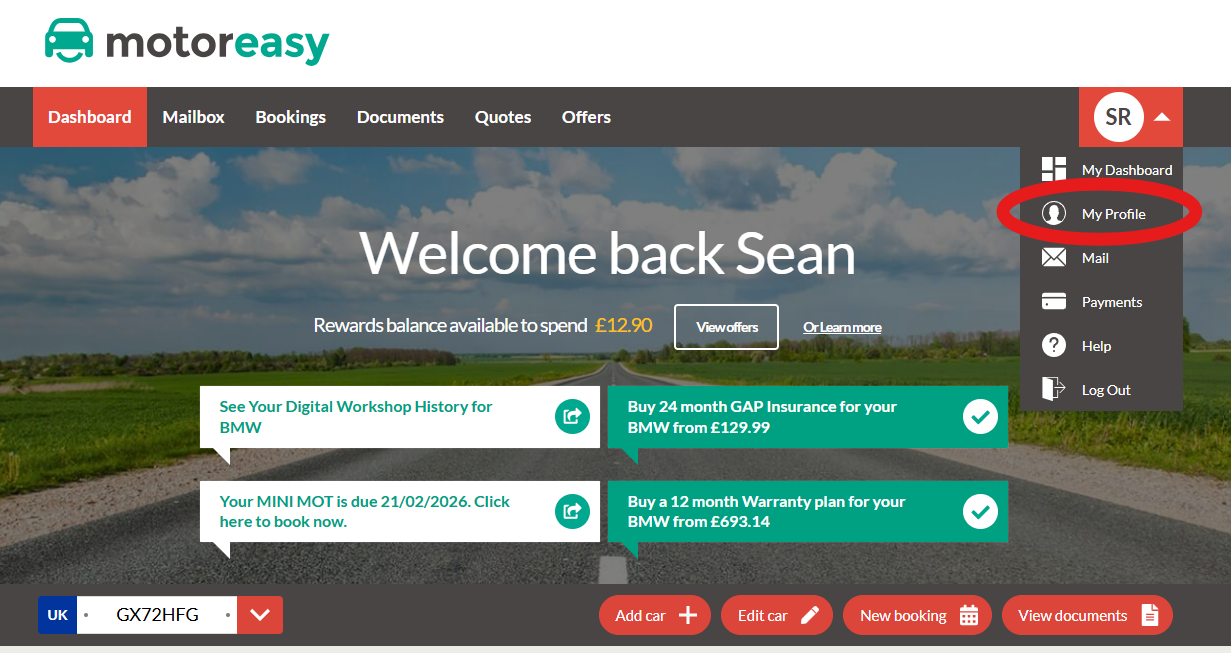
- In the top right select click on your initials and then "My Profile"
- Under your personal details press "Update my details"
- Make sure you have a phone number associated with your account that can receive texts - Update and save if not
- Check the box "Enhance your account security by adding Multi-Factor Authentication (MFA)"
- Input the code from the text you receieve and press save
- Now MFA is setup on your MotorEasy account, enjoy!